
PWA Tips & Tricks
I build small web apps and install them on my phone like any other app. No app store, no account, no server. Along the way I have picked up a handful of tricks that make a PWA feel like it belongs on the home screen. Here they are, with the actual code from my apps.
What a PWA is, in one paragraph
A Progressive Web App is a website with three extras: a manifest file that tells the phone its name and icon, a service worker that keeps a copy of the files so it opens without a network, and a secure address. That is all it takes for Android and iOS to offer Add to Home Screen. From then on it opens full screen, has its own icon, and works on the train. Everything below is about the layer on top of that, the part that makes it feel like an app rather than a bookmark.
Be a share target
The best trick in the book. With a few lines in the manifest, your app shows up in the phone's share sheet next to Messages and Mail. Share a link from any app, pick yours, and it opens with that link.
json"share_target": {
  "action": "./",
  "method": "GET",
  "enctype": "application/x-www-form-urlencoded",
  "params": { "title": "title", "text": "text", "url": "url" }
}
The shared things arrive as query parameters on your start page. Read them, act on them, and then clean the address so a reload does not do it all again. This is how Glimpt takes a shared book link or a highlighted title and turns it into a search:
jsfunction takeLaunchParams () {
  const p = new URLSearchParams(location.search);
  const shared = sharedQuery(p.get('title'), p.get('text')) || p.get('url');
  if (!shared) return;
  // Put the search in the hash and drop the query, so Back and reload are clean.
  history.replaceState(null, '', location.pathname + '#q=' + encodeURIComponent(shared));
  search(shared);
}
Tip. When you share highlighted text from Chrome on Android, the selection arrives wrapped in quotes and prefixed with "Including link:". Look for the longest quoted part of the text and search for that. Straight, curly and guillemet quotes all turn up.
Ting ting, my podcast player, uses the same five lines of manifest and accepts links to Apple Podcasts episodes or straight to an audio file. If the shared thing is neither, it says so instead of silently doing nothing.
Add "launch_handler": { "client_mode": "navigate-existing" } to the manifest and a share reuses the open window instead of piling up new ones.
Shortcuts: sub-sections with their own home screen icons
Long-press an installed app on Android and a menu of shortcuts pops up. Each one can be dragged to the home screen as its own icon. So one app can have a Search icon, a Scan icon and a List icon, each landing straight in that part of the app. Glimpt has four:


json"shortcuts": [
  { "name": "Search for a book", "short_name": "Search", "url": "./?focus=search",
    "icons": [{ "src": "icons/shortcut-search-96.png", "sizes": "96x96", "type": "image/png" }] },
  { "name": "Scan a book's barcode", "short_name": "Scan barcode", "url": "./?scan=1",
    "icons": [{ "src": "icons/shortcut-scan-96.png", "sizes": "96x96", "type": "image/png" }] },
  { "name": "Your list", "short_name": "List", "url": "./#list",
    "icons": [{ "src": "icons/shortcut-list-96.png", "sizes": "96x96", "type": "image/png" }] }
]
Each shortcut is just a URL with a parameter. The app reads it on start and goes there. LineTracker has two: Start Session, which homes in on GPS and starts recording, and Latest Session, which opens the last recorded line.
jsasync function handleLaunchAction() {
  const action = new URLSearchParams(location.search).get('launch');
  if (action !== 'start' && action !== 'latest') return false;
  // Strip the query so a manual reload doesn't re-fire the action.
  history.replaceState(null, '', location.pathname);
  if (action === 'start') { if (!tracker) onStartPress(); return true; }
  const latest = (await listSessions()).find(s => !s.inProgress);
  if (latest) openSessionById(latest.id); else showView('sessions');
  return true;
}
Two traps I fell into:
- The service worker must serve the shortcut offline. A request for
./?launch=startdoes not match the cached./unless you tell it to ignore the query. Match navigations with{ ignoreSearch: true }. - Clear a hash shortcut before opening the panel. Glimpt's list shortcut is
./#list. If the hash stays, closing the panel steps Back onto#listand the list opens again, forever. Replace the state first, then open.
iPhones have no manifest shortcuts, so treat them as a bonus for Android and desktop, never as the only way in.
Share the app itself, from its own About page
Every one of my apps has a share block. I like to offer these three things: a QR code of the live address, the address written out under it, and the phone's native share icon to the right. Scan it, send it, or tap the icon. Those makes it possible to quickly share the app to someone next to you, or to send the link via any other app.
html<section class="card share">
  <h2>Dela</h2>
  <svg class="qr" viewBox="0 0 29 29" shape-rendering="crispEdges" role="img"
       aria-label="QR code for https://line-tracker.statichost.page/"> … </svg>
  <div class="share-row">
    <a class="share-url" href="https://line-tracker.statichost.page/">line-tracker.statichost.page</a>
    <button id="share" class="share-btn" aria-label="Share"> … share icon … </button>
  </div>
</section>
jsdocument.getElementById('share').addEventListener('click', async () => {
  const data = { title: 'LineTracker', text: 'Skatepark session heatmap PWA', url: 'https://line-tracker.statichost.page/' };
  try {
    if (navigator.share) { await navigator.share(data); return; }
    await navigator.clipboard.writeText(data.url);
    note.textContent = 'Link copied ✓';
  } catch (e) { if (e.name !== 'AbortError') console.warn(e); }
});
Three details that matter:
- Keep one source of truth for the address. LineTracker has a single
SHARE_URLconstant that drives the QR code, the copy button, the share sheet and the printed link. Change it once, everything follows. - Pre-render the QR code when the address is fixed. The QR above is an SVG of 29 by 29 squares baked into the page. No library at runtime, nothing to load. Glimpt and Kartmakare, which make QR codes of changing content, carry a small in-house encoder of about 300 lines instead of pulling one from a CDN.
- Ignore the cancel. When someone closes the share sheet without sharing,
navigator.sharerejects with anAbortError. That is not an error.
Own your updates
This is the one that bites every PWA sooner or later. A service worker caches your files, so an installed app keeps running the old version until the worker is replaced. If you let that happen silently, people see the new version only on their next launch, or the app reloads under their fingers mid-edit. Neither is acceptable. The fix is to make updates a thing the person does, not a thing that happens to them.
Version everything
The service worker gets a version string, and the cache is named after it. A new version installs beside the old one, waits, and asks for permission to take over. Never call skipWaiting() in the install step.
jsconst VERSION = '1.0.4';
const CACHE = 'linetracker-' + VERSION;

self.addEventListener('install', e => {
  // cache: 'reload' skips the HTTP cache, so a new version never precaches old files
  e.waitUntil(caches.open(CACHE).then(c =>
    c.addAll(SHELL.map(u => new Request(u, { cache: 'reload' })))
  ));
});

self.addEventListener('message', e => {
  const msg = e.data || {};
  if (msg.type === 'version' && e.ports[0]) e.ports[0].postMessage(VERSION);
  if (msg.type === 'activate') self.skipWaiting();
});
The page carries the same number, and a tiny script keeps the two in step and writes a line to the changelog every time you bump:
jsconst APP_VERSION = { number: '1.0.4', date: '2026-11-03', note: 'Share: QR code, link and share icon' };
./bump-version.command "what changed"       1.0.4 -> 1.0.5, and a line in CHANGELOG.md
./bump-version.command minor "new thing"    1.0.5 -> 1.1.0
Tip. Add a guard to your deploy script that refuses to ship a version number that is already live. Installed copies only notice an update when sw.js changes, so a deploy without a bump reaches nobody. Mine bumps the patch number automatically if I forget.
The toaster
When the new worker has installed and is waiting, show a small bar. Ask the waiting worker for its version number over a message channel and put it in the text, so the bar says Version 1.0.5 is ready with an Update and a Later button. Nothing reloads until Update is tapped.
jsfunction askVersion(worker) {
  return new Promise(resolve => {
    const ch = new MessageChannel();
    ch.port1.onmessage = e => resolve(e.data);
    worker.postMessage({ type: 'version' }, [ch.port2]);
    setTimeout(() => resolve(null), 1500);
  });
}

async function offer(worker) {
  if (!navigator.serviceWorker.controller) return;   // first install: nothing to replace
  const v = await askVersion(worker);
  title.textContent = v ? `Version ${v} is ready` : 'A new version is ready';
  go.onclick = () => { swapAsked = true; worker.postMessage({ type: 'activate' }); };
  bar.hidden = false;
}
The reload happens when the new worker takes control, behind a guard. There is a nasty bug hiding here: on a first ever visit, clients.claim() also fires controllerchange, and a naive reload throws away whatever the page just did. Colours out of Space lost a reader's colours that way, once.
jsconst hadController = !!navigator.serviceWorker.controller;
let swapAsked = false, reloading = false;
navigator.serviceWorker.addEventListener('controllerchange', () => {
  if (reloading || !(hadController || swapAsked)) return;
  reloading = true;
  location.reload();
});
Two more lines that matter. An installed app can stay open for days, so check for updates every time it comes back to the foreground. And make sure the server never caches sw.js, or installed apps stop updating altogether.
jsdocument.addEventListener('visibilitychange', () => {
  if (document.visibilityState === 'visible') reg.update().catch(() => {});
});
/sw.js
  Cache-Control: no-cache, no-store, must-revalidate
Make the update a moment
Once updates are yours, you can make them nice. LineTracker shows a full-screen poster instead of a bar. It never appears mid-session, because nobody wants an update prompt while recording a line. Next time puts it off until the next launch. Reload now is a hold-to-confirm button: hold it and a fill wipes across in 800 milliseconds. When the fill completes, the poster flips away and the new version loads behind it.
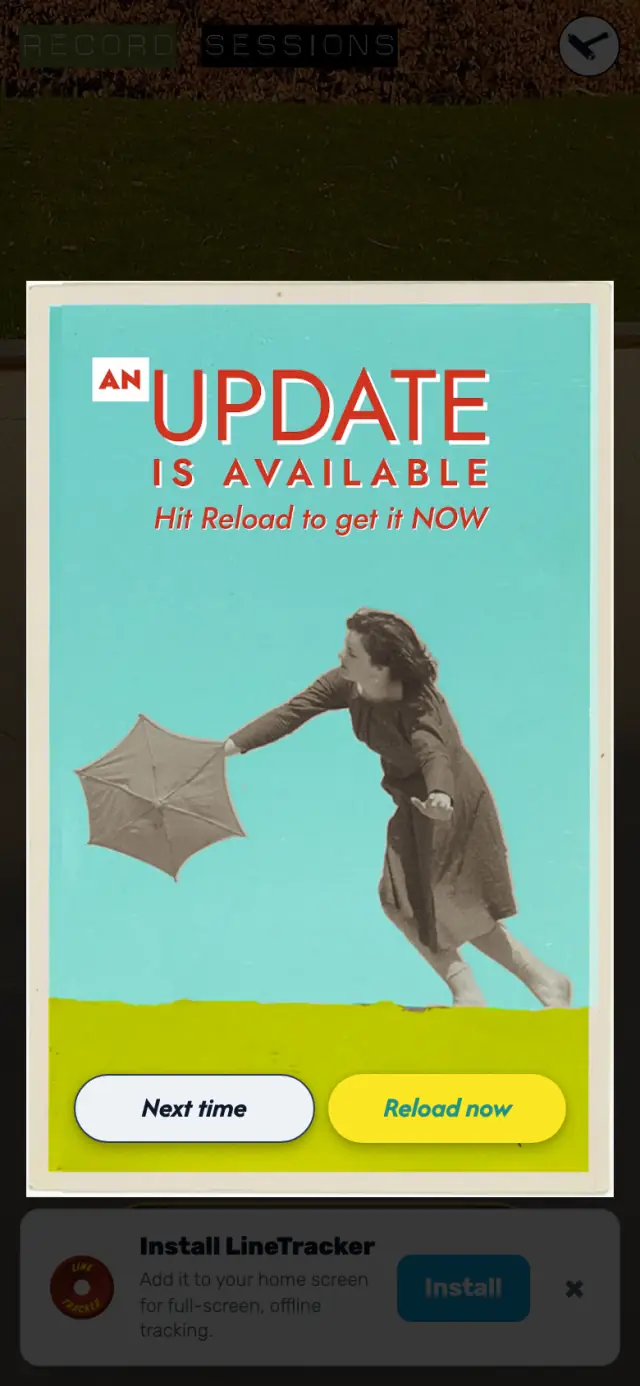
jsfunction maybeShowUpdatePrompt() {
  if (!waitingWorker) return;
  if (updateDismissed) return;
  if (tracker) return;            // mid-session — don't disturb
  updateSplash.hidden = false;
}
css.update-splash.flipping .update-splash-sheet {
  animation: update-flip-out 320ms cubic-bezier(0.4, 0, 1, 1) forwards;
}
@keyframes update-flip-out {
  from { transform: perspective(900px) rotateY(0deg);  opacity: 1; }
  to   { transform: perspective(900px) rotateY(90deg); opacity: 0; }
}
Glimpt goes one step further with a curtain. Tapping Update fades a full-page curtain in with the logo and "Updating…", the reload happens behind it, and the new page raises the same curtain on its very first frame so there is no flash of unstyled page in between. Before the reload, Glimpt notes which book was open and how far down the page you were, and the new version puts you back there. The person tapped a button and the app got better. That is the whole experience.
js// before the reload
sessionStorage.setItem('br.updating', JSON.stringify({ at: Date.now(), y: scrollY, book }));

// first line of the new page, before anything renders
if (sessionStorage.getItem('br.updating')) document.documentElement.classList.add('is-updating');
Tip. Add ?demo-update to your app's address and have it show the update screen without a real update waiting. You will want to look at it more often than updates happen.
Share by QR code with no server at all
Kartmakare is a tool for drawing Wardley maps. Maps live on your own phone, and there is no server to send them through. So how do you hand a map to the person next to you? You put the whole map in the address and show it as a QR code. They scan it, the app opens, and the map is there. Offline, both of you.
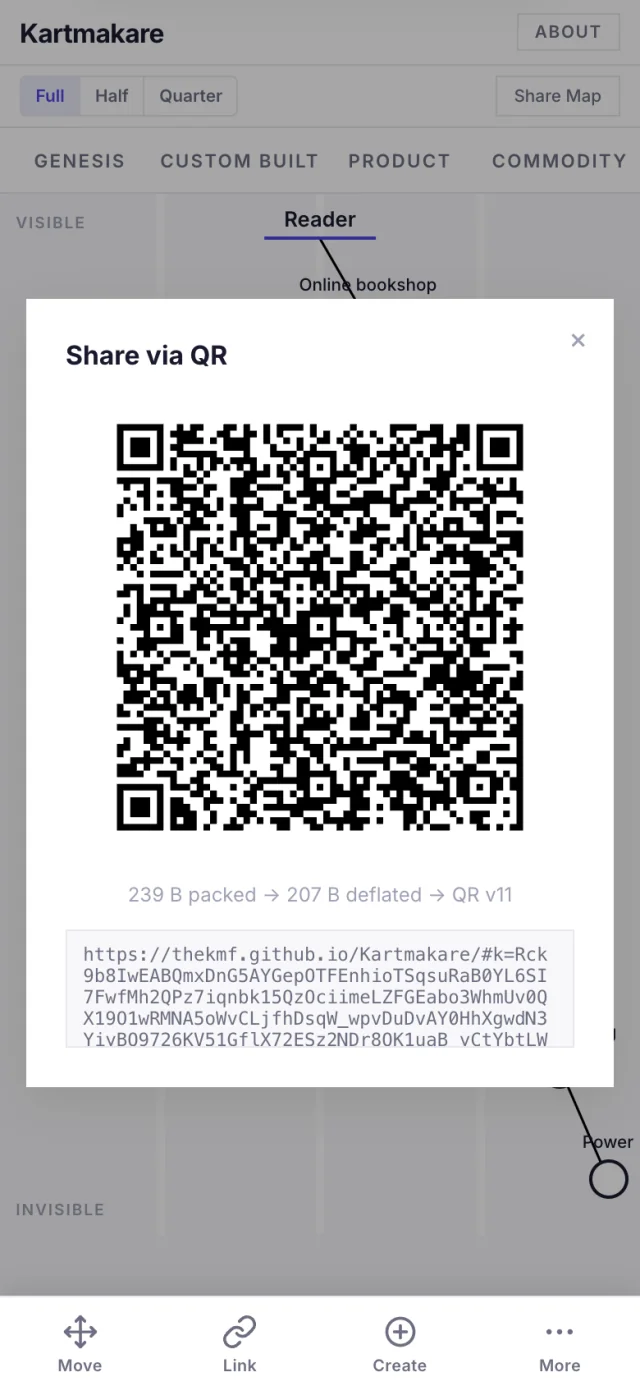
The map goes after the # in the address. The part after the hash is never sent to any server, not even to the one hosting the page, so it is private by construction. The pipeline is: map state, packed into a compact binary form, compressed with the browser's built-in CompressionStream, base64url encoded, and appended as #k=.
jsasync function buildSharePayload() {
  const bin = encodeShareV3({ items, links, areas, labels, anchor, anchorLinks });
  const compressed = await deflateRawBytes(bin);
  const payload = bytesToB64url(compressed);
  return { url: location.origin + location.pathname + '#k=' + payload };
}

async function deflateRawBytes(bytes) {
  const stream = new Blob([bytes]).stream().pipeThrough(new CompressionStream('deflate-raw'));
  return new Uint8Array(await new Response(stream).arrayBuffer());
}
On the receiving side the app looks at the hash on load, decodes it, saves the map locally, and removes the hash from the address so a reload does not import it twice.
jsasync function tryHashImport() {
  const match = (location.hash || '').match(/^#k=([A-Za-z0-9_-]+)$/);
  if (!match) return false;
  const data = decodeShareV3(await inflateRawBytes(b64urlToBytes(match[1])));
  loadMap(normalizeImportData(data));
  history.replaceState(null, '', location.pathname + location.search);
  return true;
}
What I learned doing this:
- A QR code holds less than you think. The biggest QR version holds 2,953 bytes at the lowest error correction, and phone cameras like far smaller codes. For Kartmakare that means maps up to about 180 components. Bigger than that, the app says so and offers a JSON file instead.
- Every byte counts, so compress twice. First pack the data tight, then deflate it. Switching from JSON to a varint-packed binary format before compression made the links 19 percent shorter and raised the limit from 146 to 183 components.
- Treat the payload as hostile. It came from a camera. Cap every loop count at the input length so a corrupt code cannot ask for a billion iterations.
- Remember the first-visit reload trap from the update section. Someone who scans your code has never visited before. If your update code reloads when the service worker takes control, it reloads right after the import and the map is gone.
Export and import: let people keep their things
My apps keep everything on the device and nothing on a server. That is a promise about privacy, and it comes with a duty: people must be able to take their things with them. So every app that stores anything can export it to a file and import that file again. Lines in LineTracker, maps in Kartmakare, books and settings in Glimpt, episodes in Ting ting.
The format is the same each time: a JSON object with the app's name as the first key, where it came from, when, and then the things.
jsreturn { glimpt: 1, from: location.hostname, at: new Date().toISOString(), books, ls };
jsconst blob = new Blob([JSON.stringify(data)], { type: 'application/json' });
const a = document.createElement('a');
a.href = URL.createObjectURL(blob);
a.download = 'glimpt-backup-' + data.at.slice(0, 10) + '.json';
document.body.appendChild(a); a.click(); a.remove();
setTimeout(() => URL.revokeObjectURL(a.href), 1000);
On a phone, a download is a clumsy thing. If the share sheet can take a file, send the export there instead, and the person can mail it to themselves or drop it into another app. LineTracker does this and only downloads as a fallback:
jsconst file = new File([blob], filename, { type: 'application/json' });
if (navigator.canShare && navigator.canShare({ files: [file] })) {
  try {
    await navigator.share({ files: [file], title: 'LineTracker sessions' });
    return;
  } catch (err) { if (err.name === 'AbortError') return; }
}
downloadFile(blob, filename);   // fallback
Importing is where the care goes. Check that the file is yours before touching anything. Then merge rather than replace, so an old backup can never delete something newer. Glimpt's import button says exactly what it will do: "A For Glimpt file puts everything back; a list file adds its books. Nothing is doubled, and nothing is removed."
jsconst payload = JSON.parse(await file.text());
if (!payload || payload.type !== 'linetracker-export' || !Array.isArray(payload.sessions)) {
  throw new Error('Not a LineTracker export file.');
}
for (const s of payload.sessions) {
  if (!s || typeof s.id !== 'number') continue;
  s.points = Array.isArray(s.points) ? s.points : [];   // normalise older files
  await saveSession(s);                                 // same id = overwrite, never duplicate
}
Tip. Write down in the code what the backup leaves out, and why. Glimpt's file skips the cached reviews because they are heavy and get fetched again anyway, and a test makes sure every stored key is either in the backup or on the excluded list with a reason.
Build an ecosystem of small apps
One big app is hard to make and hard to install. Several small ones that know about each other are easier on both counts, and they can pass things between them with nothing but links. Glimpt, Ting ting and Colours out of Space are three separate apps, each on its own address, and together they behave like one.
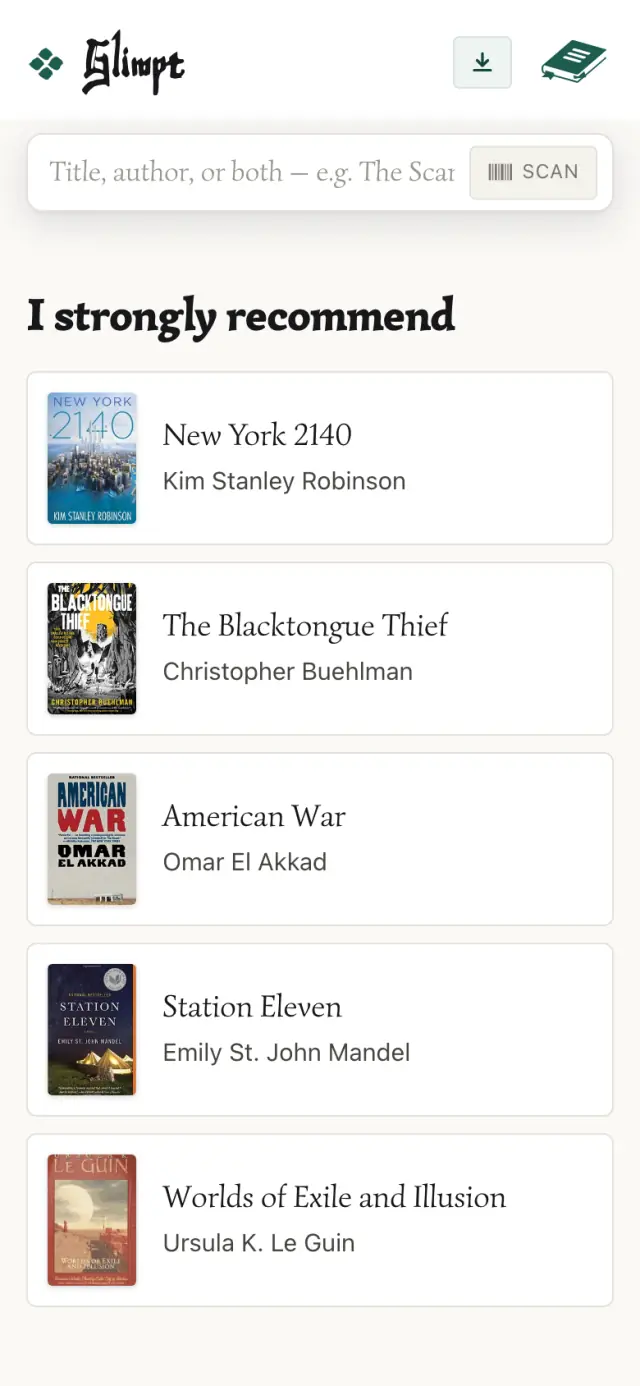
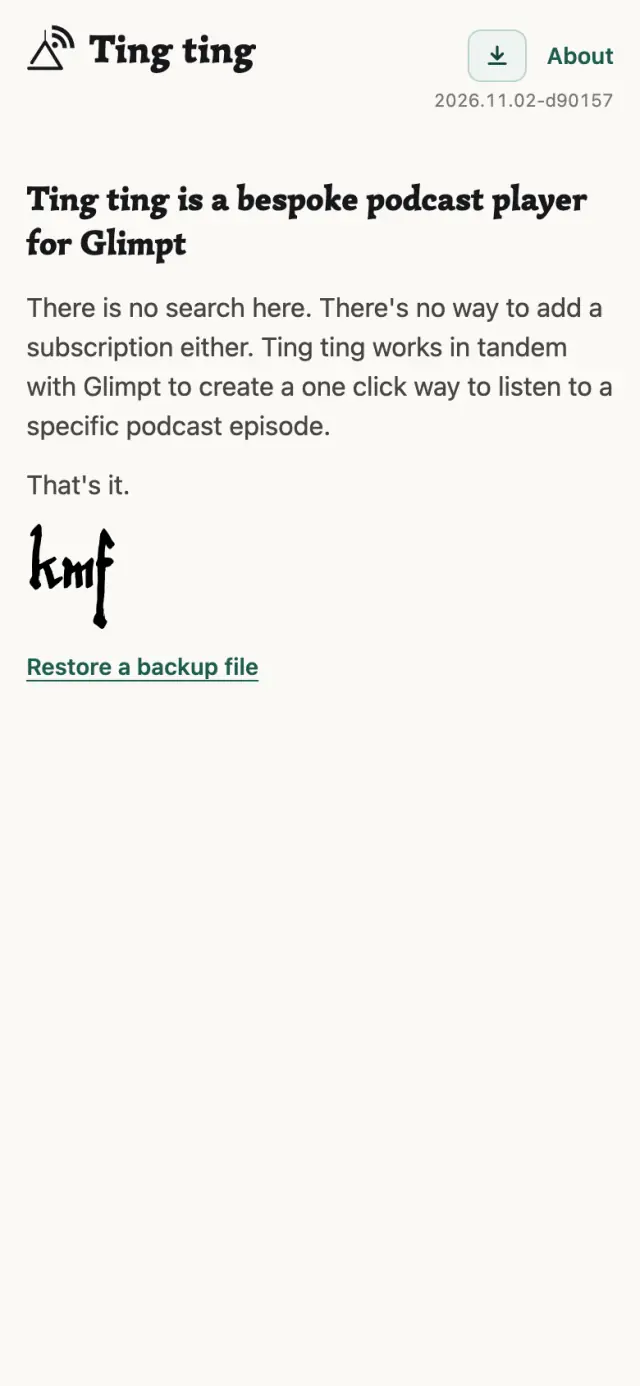
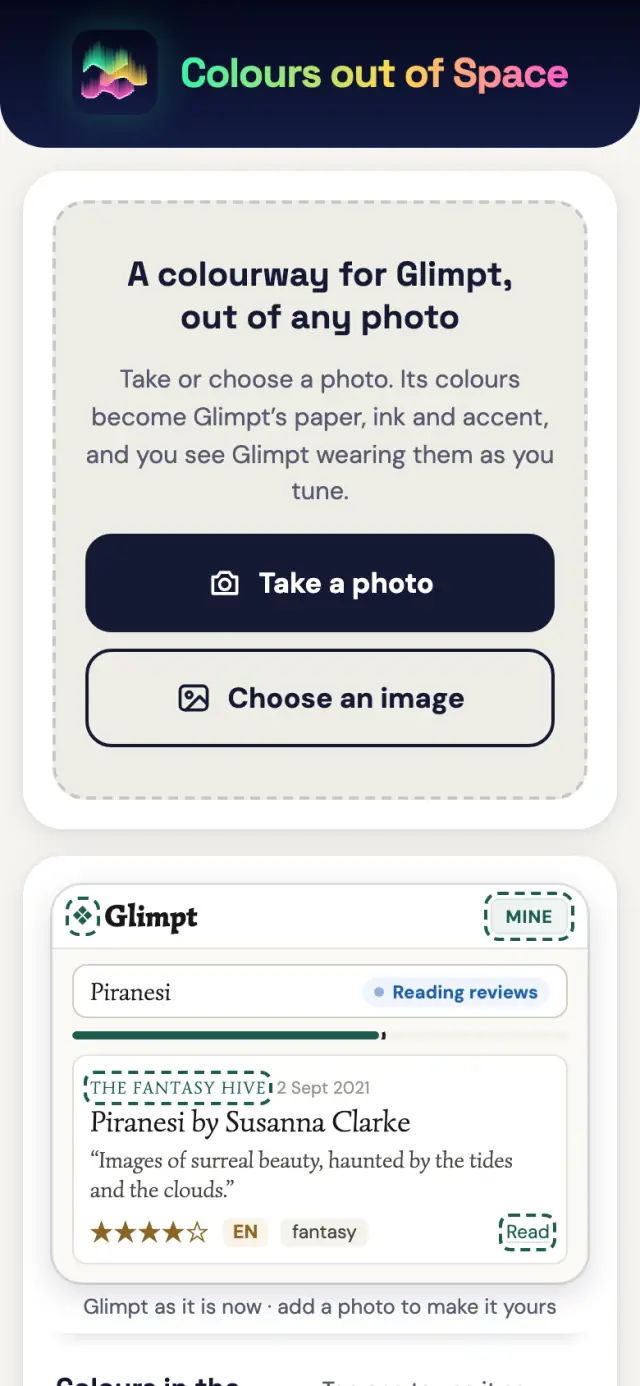
Glimpt to Ting ting. When Glimpt finds a podcast episode about a book, the play button is a link to Ting ting with the episode in the query string. Ting ting reads it, starts playing, and cleans the address.
jsconst TING_TING = 'https://ting-ting.net/';
function tingTingHref (e) {
  const q = new URLSearchParams({ audio: e.audio, title: episodeTitle(e), show: e.show || '' });
  if (e.art) q.set('art', e.art);
  if (e.date) q.set('date', e.date);
  return TING_TING + '?' + q;
}
Anyone to Glimpt. Glimpt can wear any colour scheme, and any app or page can send it one with a link. The scheme is a small JSON object after #colourway=. Because it is after the hash, it never reaches Glimpt's server. The format is public, so anyone can make a colourway for Glimpt.
jsconst colourway = {
  glimpt: 'colourway', v: 1, name: 'Harbour at dusk', from: 'Palette Lab',
  colours: { paper: '#f4efe6', ink: '#1c2230', accent: '#0f6f74', title: '#7a1f2b' }
};
const url = 'https://glimpt.net/#colourway=' + encodeURIComponent(JSON.stringify(colourway));
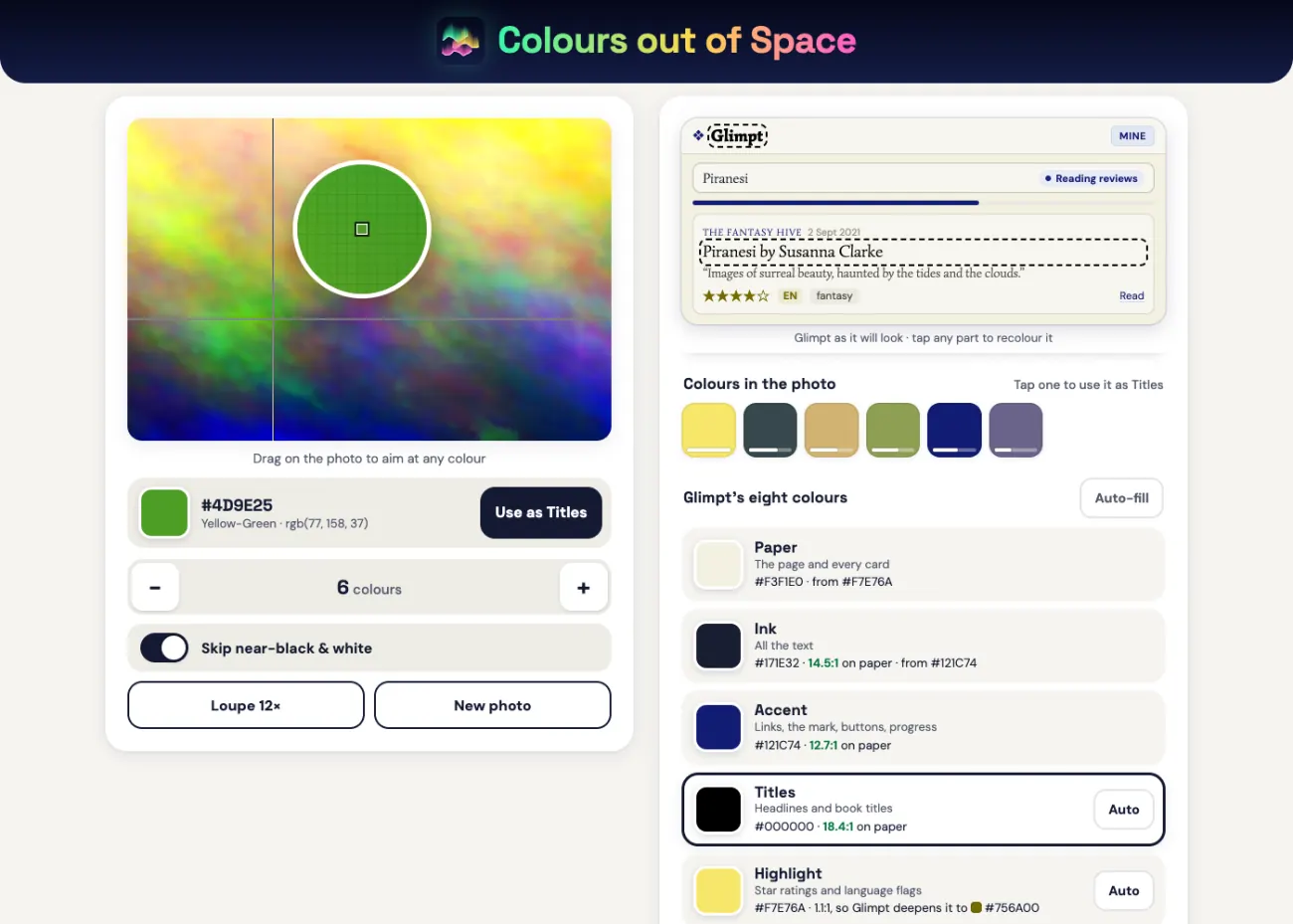
Glimpt to Colours out of Space and back. Glimpt's "Set colours from photo" button opens Colours out of Space with the current colours and a return address. You take a photo, tune the colours while a live preview shows Glimpt wearing them, and press Send. That builds a #colourway= link back to the return address. Because a return address could be abused as an open redirect, it is checked against a short list of hosts that are allowed to be Glimpt.
jsconst GLIMPT_HOSTS = ['glimpt.net', 'www.glimpt.net', 'book-radar.statichost.page'];
function returnTo (ret) {
  let u; try { u = new URL(ret); } catch (e) { return null; }
  const ok = u.protocol === 'https:' && GLIMPT_HOSTS.includes(u.hostname) && !u.port;
  return ok ? u.origin + u.pathname : null;
}
What makes this work as a system rather than three apps that happen to link:
- The link is the API. No tokens, no servers, no accounts. Everything either app needs is in the address, and the private parts go after the hash.
- Validate like a stranger sent it, because one did. Glimpt rejects unknown keys in a colourway outright, so a typo like
acentfails with a plain message instead of silently doing nothing. Both apps use the same validator, and a test keeps their answers identical. - Clean the address on arrival. Every receiver above calls
history.replaceStatebefore doing anything, so Back and reload behave.
Tip. On an iPhone, a link opens in Safari, and Safari keeps its own copy of an app's storage, separate from the copy on the home screen. A colourway sent by link lands in Safari's Glimpt, not the installed one. Say so somewhere, or people will think it did not work.
Juice
Juice is the small feedback that makes a tap feel like it did something. It is cheap and it is most of the difference between "a website" and "an app". A few that I keep reusing:
A one-line buzz. A tiny vibration on a tap, a slider hitting zero, a copy. Six to fifteen milliseconds is plenty. Wrap it so it never throws on a device without a motor.
jsconst buzz = ms => { try { if (navigator.vibrate) navigator.vibrate(ms); } catch (e) {} };
buzz(8);
Hold to confirm. For anything consequential, replace the tap with a hold. A fill wipes across the button for 800 milliseconds, and the action fires when the CSS transition ends. That makes the animation itself the timer, and a plain tap can never trigger it.
jsbtn.addEventListener('pointerdown', e => { armed = true; btn.classList.add('holding'); });
btn.addEventListener('pointerup', cancel);
btn.addEventListener('click', e => { e.preventDefault(); });   // a tap never fires
fill.addEventListener('transitionend', e => {
  if (e.propertyName !== 'clip-path') return;
  if (armed && btn.classList.contains('holding')) { cancel(); onComplete(); }
});
css.hold-btn.holding { transform: scale(1.2); }
.hold-btn.holding .hold-fill { transition: clip-path 800ms ease-out; }
A payoff on import. When you import a file into Glimpt or LineTracker, the rows fly in from off screen into the import button, which has turned into a small vortex, and the button ends on "12 books in!". The animation is held for at least 2.4 seconds even when the import takes 50 milliseconds, so the moment reads as intentional and not as a glitch.
jsrow.animate([
  { transform: `${from} scale(1)`,  opacity: 0 },
  { transform: `${from} scale(1)`,  opacity: 0.95, offset: 0.08 },
  { transform: `${to} scale(0.44)`, opacity: 0 }
], { duration: 760 + Math.random() * 500, delay: i * 55, easing: 'cubic-bezier(0.6, 0, 0.9, 0.35)', fill: 'both' });
Confetti, sparingly. A hand-rolled canvas burst is 60 lines and needs no library. Fire it at one true payoff per app, not on every tap.
Respect reduced motion. Every animation above checks prefers-reduced-motion and goes instant when it is set. The update bar still appears, the import still says "12 books in!", there is just no flight.
Keep the status bar in your colour. Write the theme's surface colour into meta[name=theme-color] whenever the theme changes, and the phone's status bar follows the app.
The short version
- Add a
share_targetand you are in the share sheet. - Add
shortcutsand sub-sections get their own icons. - Every app has a Dela block: QR code, address, share icon.
- Version the service worker. Never skip waiting on install. Show a toaster, let the person tap Update, and reload only when the new worker takes control, behind a guard.
- Check for updates when the app comes to the front, and never let the server cache sw.js.
- Put private data after the
#. It never leaves the phone, and it fits in a QR code. - Export to a file through the share sheet. Import by merging, never by replacing.
- Small apps that pass things by link beat one big app.
- A buzz, a hold, a payoff. Then respect reduced motion.
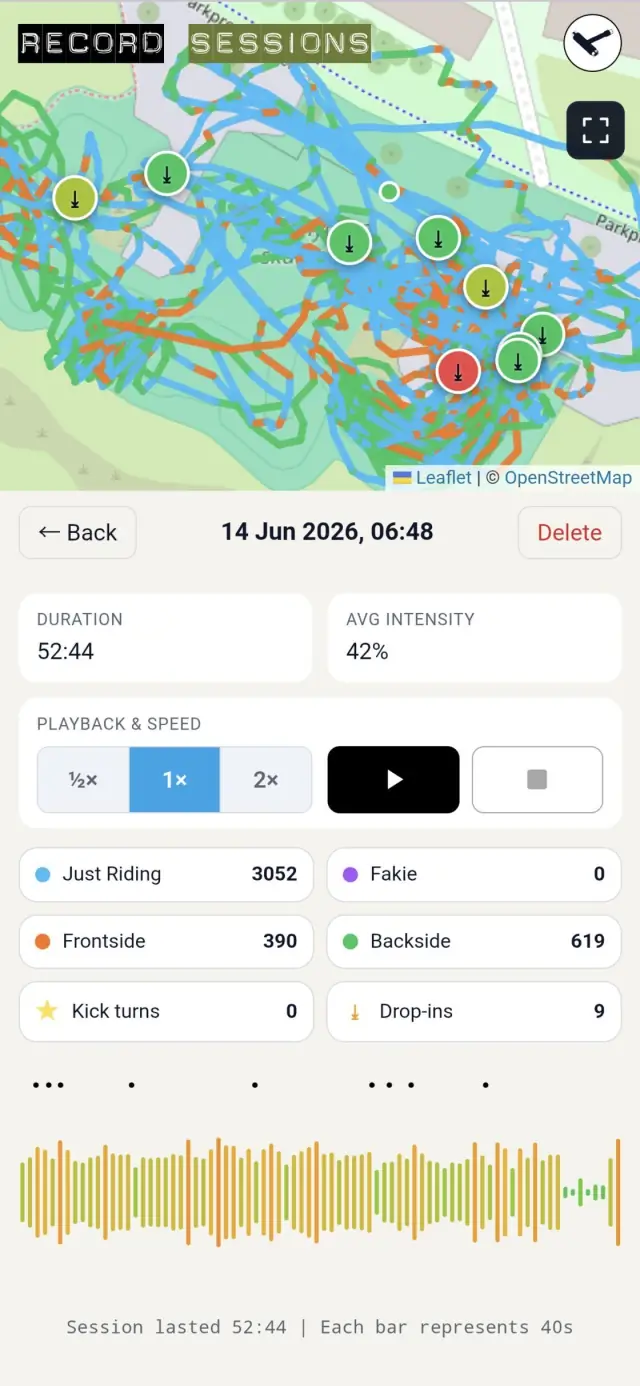
All of this is in the open: Glimpt, Ting ting, Colours out of Space, LineTracker and Kartmakare. Install one and look.